Apple Studio Display 2026 Review: Best 5K Monitor for Developers & Photographers
In-depth Apple Studio Display 2026 review from a developer and photographer perspective. Compare Studio Display vs Studio Display XDR — specs, color accuracy, Thunderbolt 5, pricing, and who should buy which.
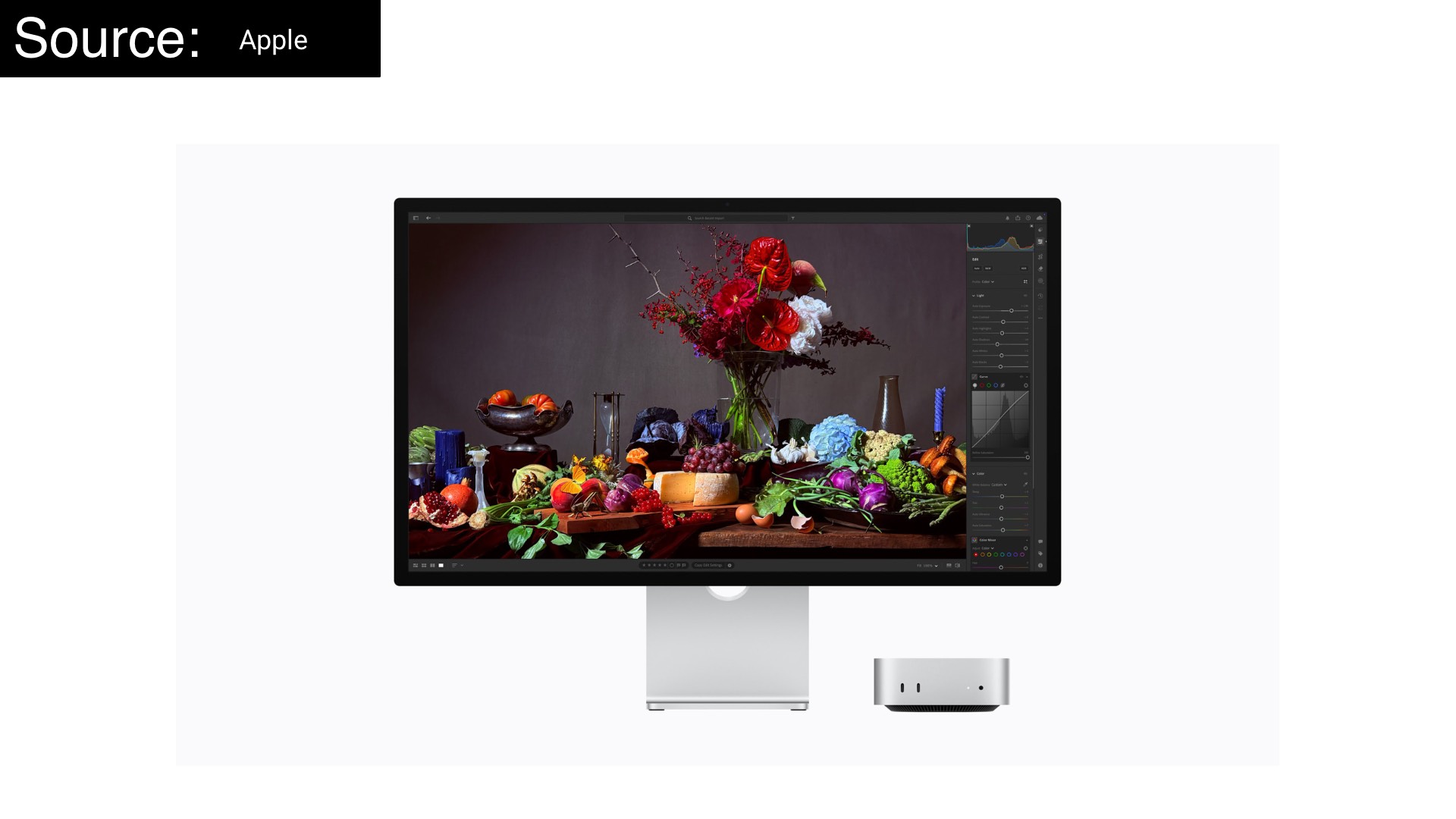
Apple dropped a new display family on March 3, 2026, and the tech world had a predictably split reaction: some cheered, some shrugged, and a few pulled up spreadsheets to justify the price. After several weeks of daily use — toggling between Xcode, Lightroom, Figma, and a terminal with far too many tabs — here's my honest take on whether the 2026 Apple Studio Display (and its flashier sibling, the Studio Display XDR) earns a place on a serious professional's desk.
What Apple Actually Announced
Apple unveiled two monitors:
The Studio Display ($1,599) is the spiritual successor to the 2022 model — a 27-inch 5K Retina LCD with 600 nits of brightness, P3 wide color, an upgraded 12MP Center Stage camera with Desk View support, a studio-quality three-microphone array, a six-speaker Spatial Audio system, and — crucially — Thunderbolt 5 connectivity with two ports plus two USB-C ports for peripherals.
The Studio Display XDR ($3,299) is an entirely new beast. It packs the same 27-inch 5K footprint but replaces the LCD backlight with a mini-LED system featuring 2,304 local dimming zones, cranking peak HDR brightness up to 2,000 nits with a 1,000,000:1 contrast ratio. It adds a 120Hz Adaptive Sync refresh rate, Adobe RGB color gamut coverage (on top of P3), DICOM medical imaging presets, and a tilt- and height-adjustable stand included in the base price. If the Pro Display XDR was Apple's answer to Hollywood, the Studio Display XDR feels like Apple finally talking directly to photographers and developers in the same breath.
Both displays come with optional nano-texture glass and are powered by Apple's A19 chip — an upgrade from the A13 in the 2022 model, though the chip's potential remains largely untapped for now.
Quick Reference
| Studio Display | Studio Display XDR | |
|---|---|---|
| Price | $1,599 | $3,299 |
| Panel | 5K IPS LCD | 5K mini-LED XDR |
| Brightness (SDR) | 600 nits | 1,000 nits |
| Peak HDR | — | 2,000 nits |
| Contrast | Standard LCD | 1,000,000:1 |
| Refresh Rate | 60Hz | 120Hz + Adaptive Sync |
| Color Gamut | P3 | P3 + Adobe RGB (80%+ Rec. 2020) |
| Thunderbolt | TB5 × 2 + USB-C × 2 (96W charging) | TB5 × 2 + USB-C × 2 (140W charging) |
| Camera | 12MP Center Stage + Desk View | 12MP Center Stage + Desk View |
| Stand | Tilt-adjustable (height = +$400) | Tilt + height-adjustable (included) |
| Best For | Developers, general creatives | Photographers, HDR editors, color pros |
For the Developer: One Cable, Zero Excuses
Let's be honest: most developers care about three things in a monitor — sharpness, color consistency, and desk connectivity. The 2026 Studio Display delivers meaningfully on all three.
The 5K Advantage Is Real
At 218 pixels per inch, the Studio Display is a native 2x Retina panel. That matters enormously if you design or review UI. At native 2x scaling, every pixel falls precisely on-grid — no interpolation, no softness. Fonts render with the crispness you'd expect from an iPhone. SVGs look like SVGs. For anyone who has spent years squinting at a 4K panel running a scaled resolution, the difference is immediately apparent and impossible to unsee.
The default resolution renders at 2560×1440 effective pixels, giving you a comfortable working canvas. You can push it to 3200×1800 if you need more screen real estate, though text begins to feel smaller than ideal for long sessions.
Thunderbolt 5: Finally, a Real Hub
The single most practical upgrade in the 2026 model is the addition of a second Thunderbolt 5 port. The old model's single TB4 port was a bottleneck. Now, you connect your MacBook Pro with one Thunderbolt cable — getting up to 96W of charging power back — and the second port lets you daisy-chain a second Studio Display, or connect a high-speed external SSD, a dock, or any other TB5 peripheral. Two additional USB-C ports handle the rest of your cable clutter.
The Studio Display XDR bumps this to 140W charging, enough to fast-charge a 16-inch MacBook Pro. For a developer running compute-heavy jobs on a plugged-in laptop, that's not a trivial detail.
Apple confirmed you can daisy-chain up to four Studio Display models with a MacBook Pro with M5 Max — nearly 60 million pixels across a single desk setup. That's an absurd sentence to type. It's also genuinely impressive engineering.
macOS Integration: Invisible and Irreplaceable
Here's something that rarely gets enough credit: the Studio Display's macOS integration is seamless to the point of being invisible. Brightness, True Tone, color profiles, white point calibration — all of it lives in System Settings. There are no physical buttons to fumble with. Apple's Fine-Tune Calibration feature lets you dial in your exact target white point (say, D65 at 150 nits) by simply entering measured values from your colorimeter. The system adjusts RGB gains in hardware. It just works.
This is in sharp contrast to the Windows experience, which is essentially nonexistent. If you unplug the Studio Display from a Mac and connect it to a Windows PC, you're locked into whatever settings it last had on macOS. Volume is the only control you get on Windows. For developers who split time across platforms: this display is firmly, unambiguously a Mac peripheral.
The Camera Nobody Expected to Love
The 2022 Studio Display's webcam was notorious — soft, cropped, inconsistent in anything other than bright studio lighting. Apple addressed this directly: the 2026 model's 12MP camera retains the same megapixel count but gains larger pixels and a wider aperture, and the difference in side-by-side comparisons is genuinely dramatic. Detail, low-light performance, and dynamic range all improve visibly.
For a developer on daily standups and design reviews, this is the integrated webcam you can actually use as your primary camera without embarrassment. Desk View — which simultaneously shows your face and a top-down view of your workspace — is a nice touch for code walkthroughs.
What's Still Missing
The Studio Display remains a 60Hz panel. In an era where every MacBook Pro ships with 120Hz ProMotion, sitting in front of a 60Hz external display feels like a step backwards — especially during long scrolling sessions in Xcode or a browser with dozens of tabs. Apple has argued that driving 5K at 120Hz simultaneously requires bandwidth that Thunderbolt's DisplayPort protocol can't cleanly accommodate, and the math mostly checks out. But the Studio Display XDR solves this with 120Hz and Adaptive Sync (47–120Hz), suggesting the engineering problem isn't insurmountable. Developers who care about smooth scrolling and fluid animation previews should take that seriously.
The A19 chip inside is also a quietly frustrating story. It gives the display more compute power than many laptops — and does almost nothing with it. There's no Apple TV mode, no standalone app runtime, no useful offloading of compute. It's an expensive part sitting idle. Maybe someday.
For the Photographer: Color Truth at 5K
Photographers have a different set of demands: accurate color, reliable whites, good gamut coverage, and a calibration story you can actually trust. The Studio Display makes a compelling case. The Studio Display XDR makes an even more compelling one.
Color Accuracy Out of the Box
The 5K IPS LCD at the heart of the base Studio Display is a known quantity, and it performs well. Testing consistently shows coverage at 98.8% of DCI-P3 and 86% of Adobe RGB — the latter being the color space most relevant to print and professional photography workflows. After calibration using macOS's Fine-Tune tool and a colorimeter, those numbers hold steady with a Delta E well below 1.0, which is effectively imperceptible to the human eye.
The factory individually calibrates each unit against Apple's P3 reference standard. This means your Studio Display is color-managed to be consistent with your iPhone, iPad, and MacBook — the entire Apple imaging pipeline. If you shoot on iPhone 16 Pro, develop in Lightroom on your MacBook, and proof on the Studio Display, what you see across devices is genuinely consistent. That's not a marketing claim; it's a real workflow benefit.
The Photography (P3 - D65) display profile is the one to use for photo editing. Out of the box, the default Apple Display profile runs a touch warm (around 6700K), but the Fine-Tune Calibration tool brings it to a precise D65 white point with minimal fuss — a workflow that hands-on community testing has validated.
Where the Base Model Falls Short
The Studio Display is an SDR display — technically EDR (Extended Dynamic Range), which means Apple is doing real work to squeeze pseudo-HDR headroom out of an LCD panel, but it is not true HDR. At 600 nits peak brightness, there's no local dimming, no deep blacks. For editing HDR photos or Dolby Vision footage, you're working within constraints. The blacks are dark gray rather than absolute, and specular highlights in raw files don't pop with the full latitude they deserve.
For photographers whose work lives entirely in standard dynamic range — editorial, portrait, street, landscape viewed on web or print — the Studio Display is a legitimate professional tool. For those working in HDR photo delivery or high-end color grading, it's the wrong tool.
The Studio Display XDR: Built for Serious Color Work
The Studio Display XDR changes the conversation entirely. Its mini-LED backlight with 2,304 local dimming zones delivers inky blacks and a 1,000,000:1 contrast ratio. At 2,000 nits peak HDR brightness, highlight rendering in raw files and HDR images is genuinely revelatory. The panel covers both P3 and Adobe RGB natively — with more than 80% of Rec. 2020 for HDR video grading — accessible from the same default preset, making it effortless to switch between color spaces mid-workflow.
For photographers editing high-contrast landscapes, wildlife, or any scene with significant dynamic range, the XDR's ability to render simultaneous bright highlights and deep shadows without blooming or haloing is the kind of display experience that changes how you evaluate images. At $3,299, it replaces the Pro Display XDR in Apple's lineup and represents meaningful value for what it delivers.
The new DICOM Medical Imaging presets and the Medical Imaging Calibrator (pending FDA clearance) are aimed at diagnostic radiology, but the underlying commitment to display accuracy and calibration carries over to any field where color fidelity is professional-grade critical.
The Nano-Texture Glass Question
For photographers shooting in studio environments with controlled lighting, standard glass is fine. The nano-texture glass option ($300 extra) provides genuinely superior anti-reflection compared to typical AG coatings, without the sharpness penalty those coatings usually impose. If your workspace has windows directly opposite your desk, it's worth considering. If not, save the money.
The Stand Problem, Revisited
The broader community has pointed out what remains an ongoing frustration: the base Studio Display ships with only a tilt-adjustable stand. Height adjustment requires a $400 upgrade — bringing the total to $1,999 — or you opt for the VESA mount adapter and supply your own arm.
This is genuinely difficult to defend for a $1,599 display. Even budget monitors from Asus and Dell include height adjustment as standard. The height-adjustable stand Apple offers is a mechanical marvel — smooth counterbalancing, precise positioning, no wobble — but charging $400 for basic ergonomic functionality at this price tier is a policy choice, not an engineering necessity.
The Studio Display XDR includes the tilt- and height-adjustable stand at its base price, which partly explains the $1,700 premium over the base Studio Display and at least makes the math feel more honest.
Should You Buy It?
As a developer on Apple silicon: The 2026 Studio Display is the best single-cable desk upgrade you can make. The Thunderbolt 5 dual-port setup finally makes it a genuine hub, the 5K panel is objectively the right resolution for macOS at 27 inches, and the macOS integration is seamless in a way that third-party monitors simply cannot match. At $1,599, it commands a premium over capable alternatives like the Asus ProArt PA27JCV (5K, $729–$799). If you're platform-agnostic or price-sensitive, shop around. If you live in the Apple ecosystem and value the integration dividend, the Studio Display earns its price.
As a photographer doing standard dynamic range work: The Studio Display is a legitimate pro tool. The color accuracy, calibration story, and macOS pipeline consistency make it genuinely useful for most photographic workflows. Just understand its SDR ceiling and plan your workflow accordingly.
As a photographer doing HDR or serious color-critical work: Skip the base Studio Display and look hard at the Studio Display XDR. The mini-LED panel, 2000-nit peak brightness, Adobe RGB coverage, and local dimming are transformative for high-end editing. At $3,299 with the height-adjustable stand included, it's expensive but not unreasonable given what it delivers.
If you own the 2022 Studio Display: There's no compelling reason to upgrade to the 2026 model. The panel is essentially the same. The improved webcam and second Thunderbolt port are nice, but not $1,599 nice.
Verdict
The 2026 Apple Studio Display is a refinement, not a revolution. Apple has addressed its most-criticized component (the webcam), added meaningful connectivity (second TB5 port), and kept the rest intact — for better and for worse. The 5K panel remains one of the best displays for macOS at any price when you factor in pixel density, color management, and ecosystem integration. The pricing remains aggressive, and the absence of ProMotion on the base model is increasingly hard to excuse.
The Studio Display XDR, however, is something different: Apple's first serious answer to photographers and pro creators who needed real HDR, real contrast, and real color gamut all in one display. It's the monitor Apple should have built years ago.
For developers and photographers who have committed to the Apple ecosystem and need a display that speaks their language fluently: the Studio Display family, finally, has an answer for nearly everyone. The question is just which one — and how much you're willing to pay to find out.